
Focus mode, Pomodoro and ambient sounds
Silence every app while you concentrate, work in Pomodoro rounds, and play ambient sounds from Rambox's Concentration panel.
When you need to concentrate on a meeting, a report or your code, Rambox can hold back every notification and sound from your apps until you're done. Everything lives in the Concentration panel:
- Focus: silences all apps for a set time, or until you stop it. Available on every plan.
- Pomodoro: alternates focus rounds and breaks automatically. Pro feature.
- Ambient sounds: rain, a café, white noise and many more, mixed to your taste. Pro feature.
Pro features
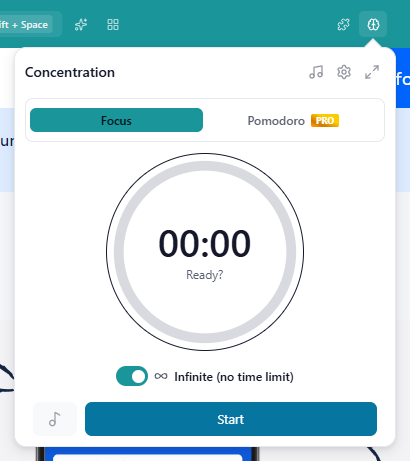
Pomodoro and ambient sounds are available on the Pro plan and during the free trial. On Basic you can see them, with a PRO ribbon, but you can't open them. Focus mode is free. How to become Pro
Open the Concentration panel
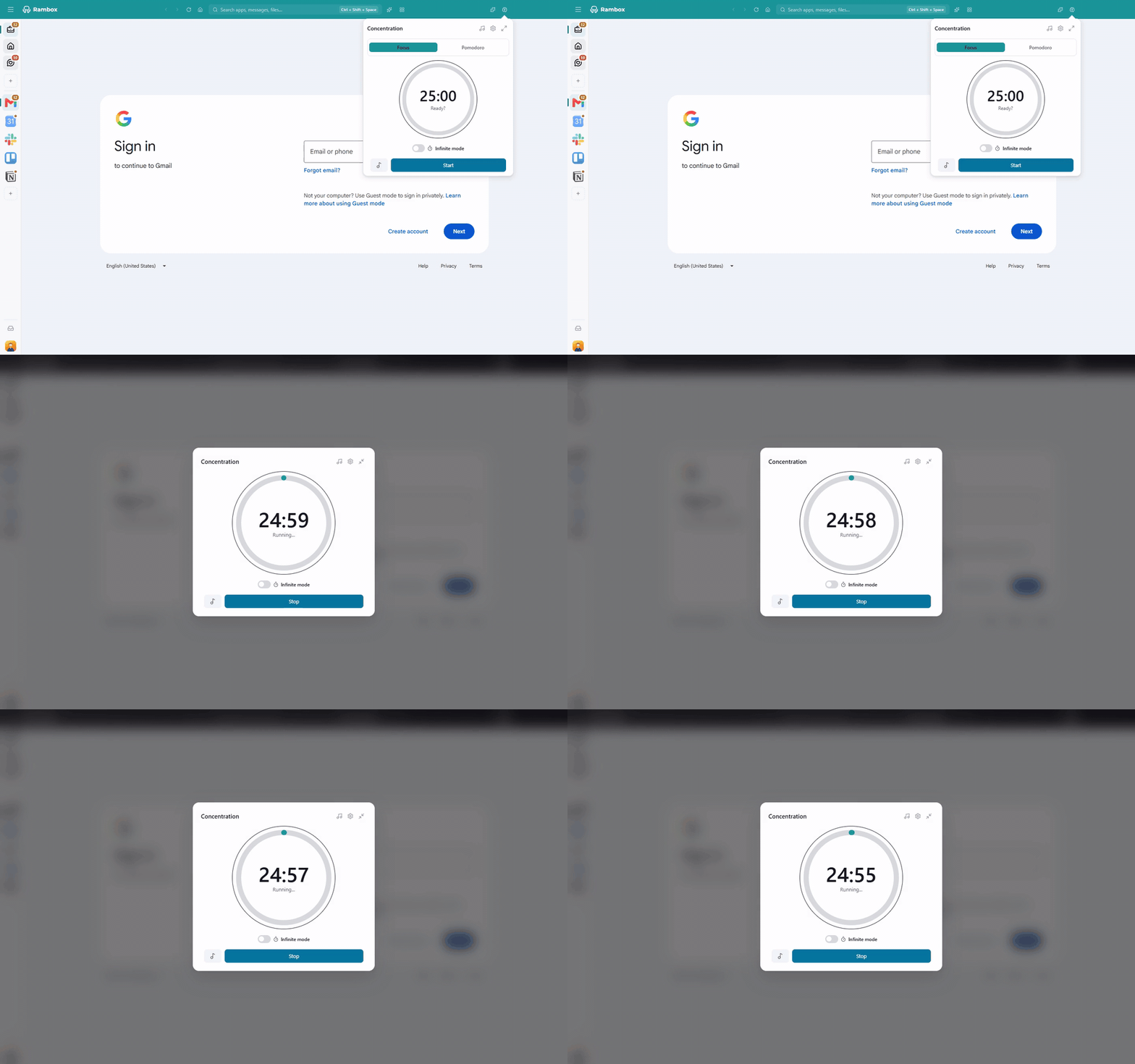
Click the Concentration button (the brain icon) at the right of the title bar. The panel opens below it.
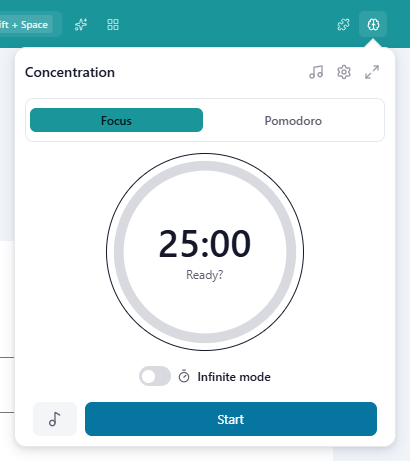
At the top of the panel you'll find:
- Ambient sounds (music note): opens the sound mixer.
- Settings (gear): durations and other options.
- Fullscreen / Exit fullscreen: covers Rambox with the timer (see Fullscreen focus).
Below them, choose the mode: Focus or Pomodoro.
Focus mode
- Open the Concentration panel and select Focus.
- Decide how long:
- leave Infinite mode off to use a timer (25 minutes unless you changed it in Settings), or
- turn Infinite mode on to keep going until you stop it. The timer then counts up the time you've been focused.
- Optionally, click the music note button to play your favorite ambient sounds during the session (Pro).
- Click Start.
The ring shows the time left, and the Concentration button in the title bar stays highlighted while the session runs. When a timed session ends, Rambox tells you: Your focus session ended. Time to catch up! To end it earlier, open the panel and click Stop.
Other ways to start and stop Focus mode
- Keyboard: Alt+Shift+D (macOS: ⌘+D) turns an infinite focus session on or off. You can disable this shortcut in the Shortcuts panel.
- Command Center: Toggle Focus Mode. See Command Center.
- Tray panel (Windows and macOS): Start Focus. On Linux, or when you're using the tray menu, Focus mode.
- Windows taskbar: the Focus mode button under the Rambox thumbnail.
What happens while you're focused
- No notifications and no sounds from any app. The apps themselves don't show any message about it; to end the silence, end the session from the Concentration button.
- Streaming apps keep their sound. If an app is streaming (for example, you're in a call), its sound stays on and a banner at the top of that app says This app is currently streaming: sound is temporarily enabled. If the app also has notifications turned on, the banner has a Bypass restrictions button that lets its notifications through too, until you click Restore restrictions or the session ends.
- Badges stay visible unless you turn on Remove all badges when 'Focus mode' is active in Settings → Apps.
Your messages aren't lost: they keep arriving in your apps, and you'll see the unread counters (and the Notification Center) when you come back.
Pomodoro
The Pomodoro technique splits your work into focused rounds with short breaks in between. Rambox keeps track of it for you:
- Session: 25 minutes of focus.
- Break: 5 minutes.
- Long Break: 15 minutes, after every fourth session.
You can change all three times in Settings.
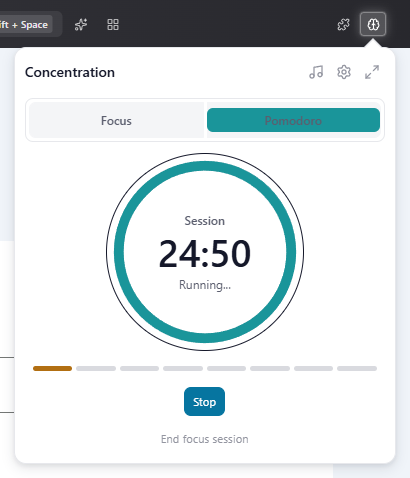
- Open the Concentration panel and select Pomodoro.
- Click Start session. Your apps are silenced, just like in Focus mode.
- When the session ends, Rambox notifies you (Time for a break!). Click Start break, or Start long break after the fourth round.
- When the break ends (Time to focus!), start the next session.
- After the fourth round and its long break, you'll see Pomodoro cycle complete, and a new cycle begins.
While Pomodoro is running you can also:
- Stop the current session (Rambox asks you to confirm);
- Skip this break and go straight to the next session;
- End focus session to stop the whole cycle (Are you sure you want to end the entire focus session?).
If you'd rather not click between rounds, turn on Auto-start focus sessions and Auto-start breaks in Settings.
Ambient sounds
Ambient sounds help you block out distractions. You can mix several at once, for example light rain plus a café.
- Open the Concentration panel.
- Click Ambient sounds (the music note at the top).
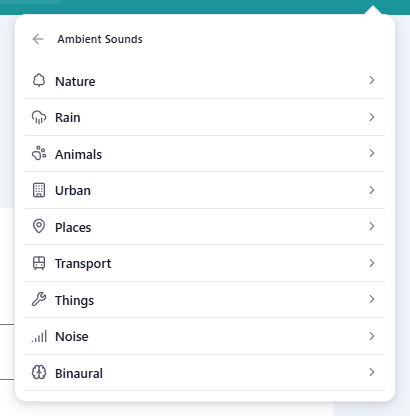
- Browse the categories: Nature, Rain, Animals, Urban, Places, Transport, Things, Noise (white, pink and brown noise) and Binaural (alpha, beta, delta, gamma and theta beats).
- Click a sound to play it. Click others to add them to the mix. Adjust each sound's volume, and the overall Volume.
- Click Stop all to silence everything. The header tells you how many sounds are playing.
Save a favorite mix
- Start the sounds you like and set their volumes.
- Click Save as favorite.
- Type a Favorite name and click Save.
Your favorites appear in their own Favorites category. To delete one, use Delete favorite and confirm.
Play a favorite automatically with each session
- Open the Concentration panel and click Settings (gear).
- Under Focus, and under Pomodoro, choose which favorite to play in Ambient sounds.
- Click Save changes.
Then use the music note button next to Start (it says Ambient sounds on or Ambient sounds off) to decide whether the favorite plays during the session. If you haven't saved a favorite yet, the setting says Save a favorite first.
From the tray panel, the Ambient button mutes or unmutes your sounds while a session is running.
First play needs internet
Sounds are downloaded the first time you play them and kept on your computer afterwards. If a sound can't be loaded, you'll see Could not play {count} ambient sounds. Check your connection and try again.
Fullscreen focus
If you tend to "just check one thing", turn on Fullscreen focus in the panel's Settings. While a session is running, the timer covers the whole Rambox window, so nothing else can be used. The way out is to stop the session.
You can also cover or uncover Rambox at any moment with the Fullscreen / Exit fullscreen button at the top of the panel.
Concentration settings
Open the panel and click the gear (Settings):
| Setting | What it does | Default |
|---|---|---|
| Fullscreen focus | While a session is running, the timer covers Rambox, so nothing else can be used. | Off |
| Focus Duration (minutes) | Length of a timed Focus session. | 25 |
| Focus Ambient sounds | Favorite to play during Focus sessions (Pro). | None |
| Pomodoro Session / Break / Long Break | Length of each phase, in minutes (Pro). | 25 / 5 / 15 |
| Auto-start focus sessions | Starts the next session by itself after a break (Pro). | Off |
| Auto-start breaks | Starts the break by itself after a session (Pro). | Off |
| Pomodoro Ambient sounds | Favorite to play during Pomodoro (Pro). | None |
Click Save changes to apply.
Related: work hours
If you want some apps to stay quiet every day outside a time range, rather than only while you focus, use a workspace's Work hours. See Work hours.
Using Rambox 2?
In Rambox 2, Focus mode lived in the Notification Center and muted every sound, including videos. In Rambox 3 it has its own Concentration button in the title bar, keeps the sound of apps that are streaming, and adds Pomodoro rounds, ambient sounds and fullscreen focus.