
Request support
Contact the Rambox support team by opening a ticket in the Rambox Console or by email, and follow up on your requests.
If you can't find the answer in this Help Center, our support team is happy to help. You can reach us in two ways: by opening a ticket in the Rambox Console, or by email. Both end up in the same place, and our replies always reach your inbox.
Open a ticket from the Console
- Click Submit a ticket on the Help Center home page, or go to console.rambox.app/support.
- Sign in with your Rambox account if you are asked to.
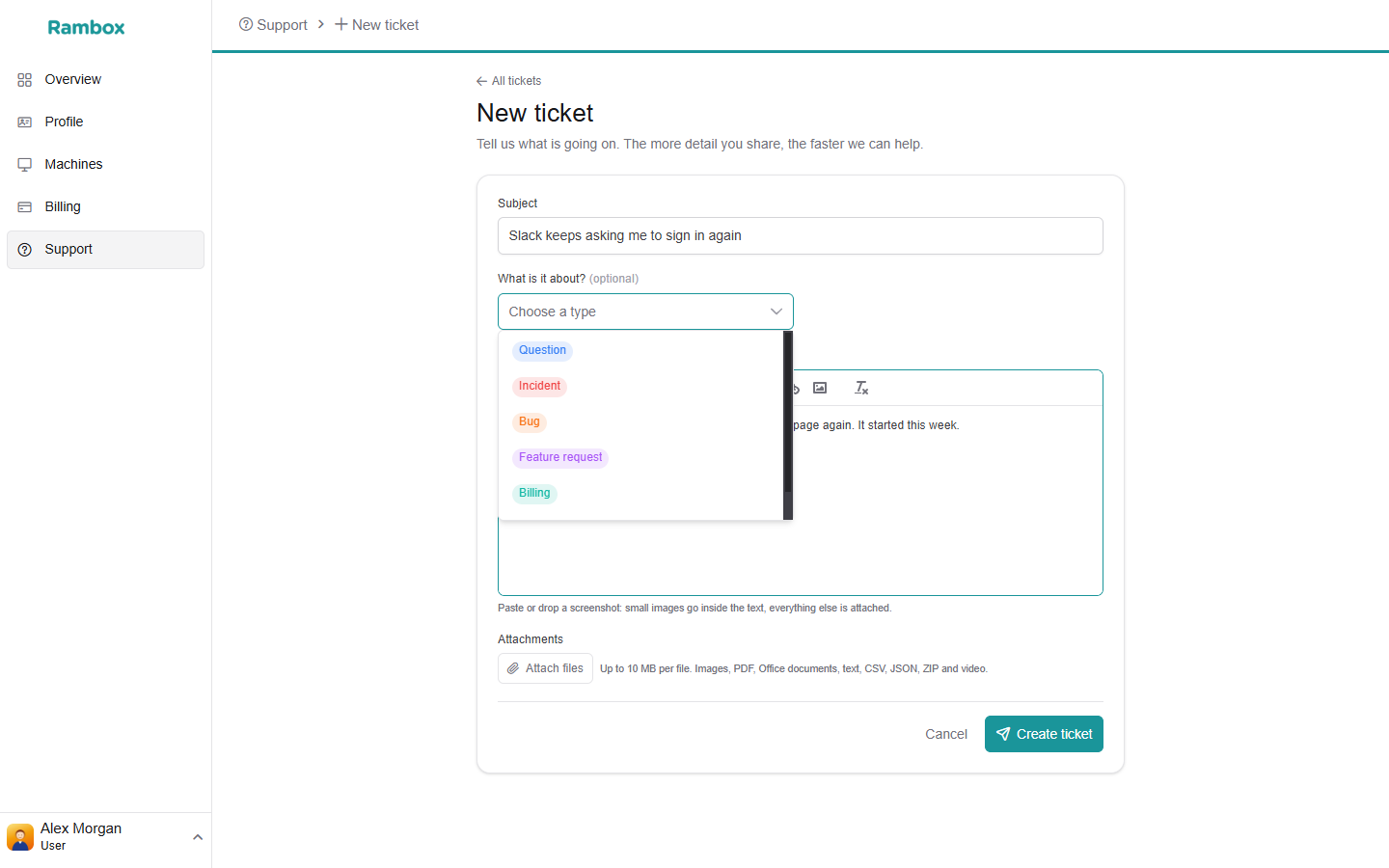
- On My tickets, click New ticket.
- Fill in the form:
- Subject (required) — a short summary of the problem.
- What is it about? (optional) — Question, Incident, Bug, Feature request, Billing or Account.
- Description — what happened, what you expected, and the steps to reproduce it.
- Attachments — screenshots, PDFs, Office documents, text, CSV, JSON, ZIP files and videos. The form shows the size limit per file (usually 10 MB). You can also paste a screenshot directly.
- Click Create ticket.
You will see "Ticket {number} created", and the ticket appears in My tickets.
Help us help you faster
Tell us your operating system, your Rambox version (Help → About Rambox; on macOS Rambox → About Rambox), and what you already tried. A screenshot of the problem saves a lot of back and forth.
Write to us by email
Send an email to support@rambox.app. Every new email opens a ticket. Our answers arrive in your inbox, with a link to view the ticket and reply on the web without signing in. You can also simply reply to the email.
You don't receive an automatic "we got your message" email: the first email you get is our reply.
Follow up on your tickets
My tickets at console.rambox.app/support lists every request you sent, including the ones you sent by email. You can search by subject or number and filter by status.
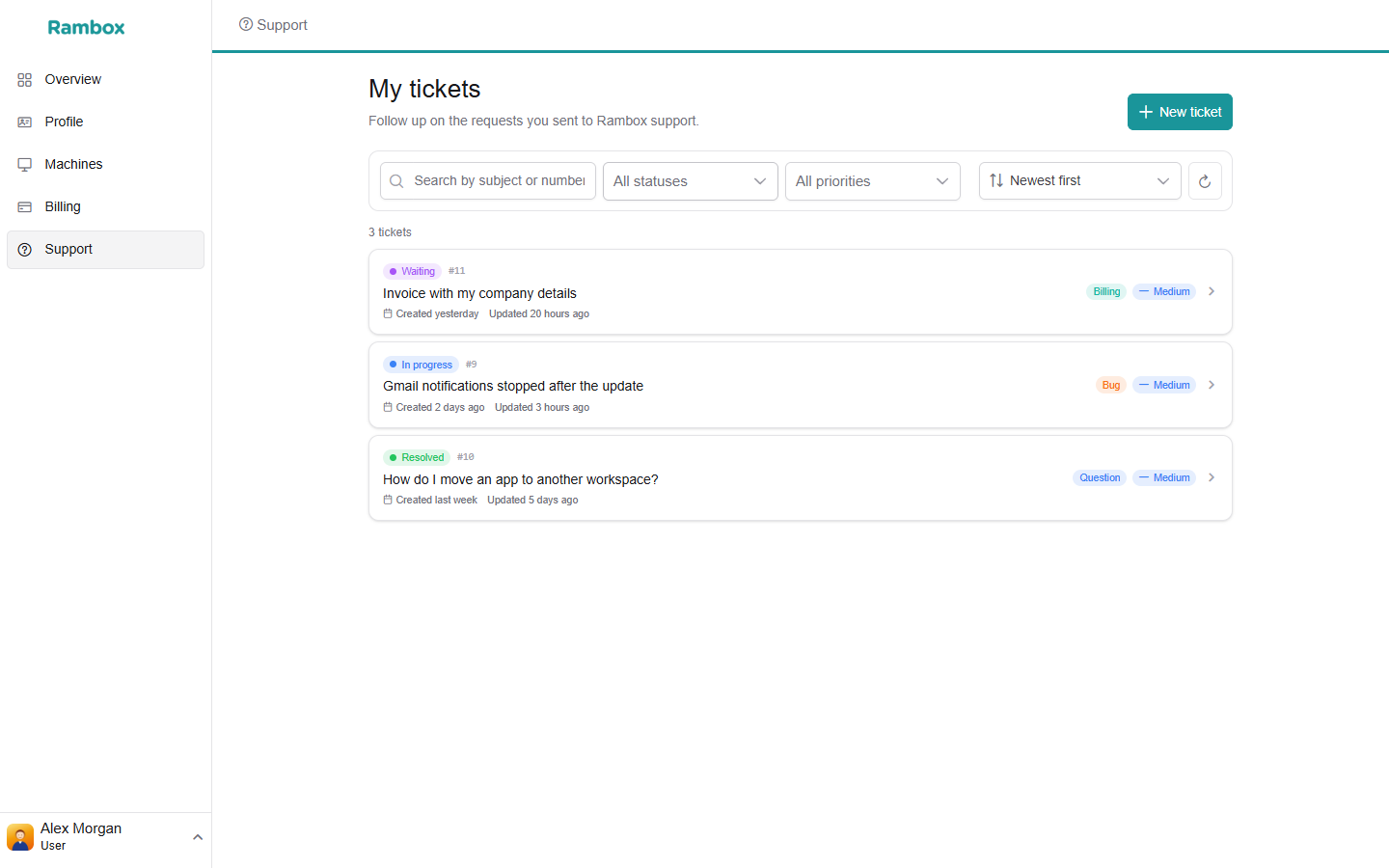
Open a ticket to read the conversation and add a reply in Write a reply…. A ticket can be in one of these states:
| Status | What it means |
|---|---|
| Open | We received it and will look at it soon. |
| In progress | Someone from our team is working on it. |
| Waiting | We are waiting for something, usually an answer from you. |
| Resolved | We think the problem is solved. You can still reply, or click Reopen ticket if it isn't. |
| Closed | The conversation is over. To continue with the same topic, open a new ticket. |
| Merged | It was joined with another ticket, where the conversation continues. |
| Cancelled | The ticket was cancelled. |
Cancel a ticket you don't need anymore: write the reason in the reply box and click Cancel ticket.
Replying to a closed ticket by email doesn't reopen it: you receive an automatic message saying the ticket is closed. Send a new email instead.
Rate our help
When your ticket is resolved, we ask "How did we do?". Choose a rating from 1 to 5, add a comment if you like in Anything you want to add?, and click Send rating. It takes a second and really helps us.
Still using Rambox 2?
You can open and follow tickets at console.rambox.app/support with your Rambox 2 account. Opening the support page doesn't move your account to Rambox 3.