
Where do my apps and workspaces go after changing to Basic?
On the free Basic plan you keep one workspace of your choice. The others are locked, never deleted, and come back when you become Pro.
When your free trial ends, or your Pro subscription ends, your account moves to the free Basic plan. Nothing is deleted. Basic includes one workspace, which you choose. Your other workspaces stay in the sidebar, locked, with all their apps, and they unlock again as soon as you become Pro.
The "Basic plan" message
The first time you open Rambox on Basic, a message explains what changes. Its title is Your trial or subscription has ended (or Your subscription has expired if your plan hasn't switched to Basic yet). It lists what Basic doesn't include:
- Unlimited workspaces (Basic includes just one)
- Unlimited accounts per app (the message tells you how many Basic allows per app)
- Chrome extensions
- Spell checker
- Profiles and isolated sessions
- Unified Search
It also reminds you: "Nothing is deleted: your workspaces and apps stay where they are. Upgrade anytime to unlock them."
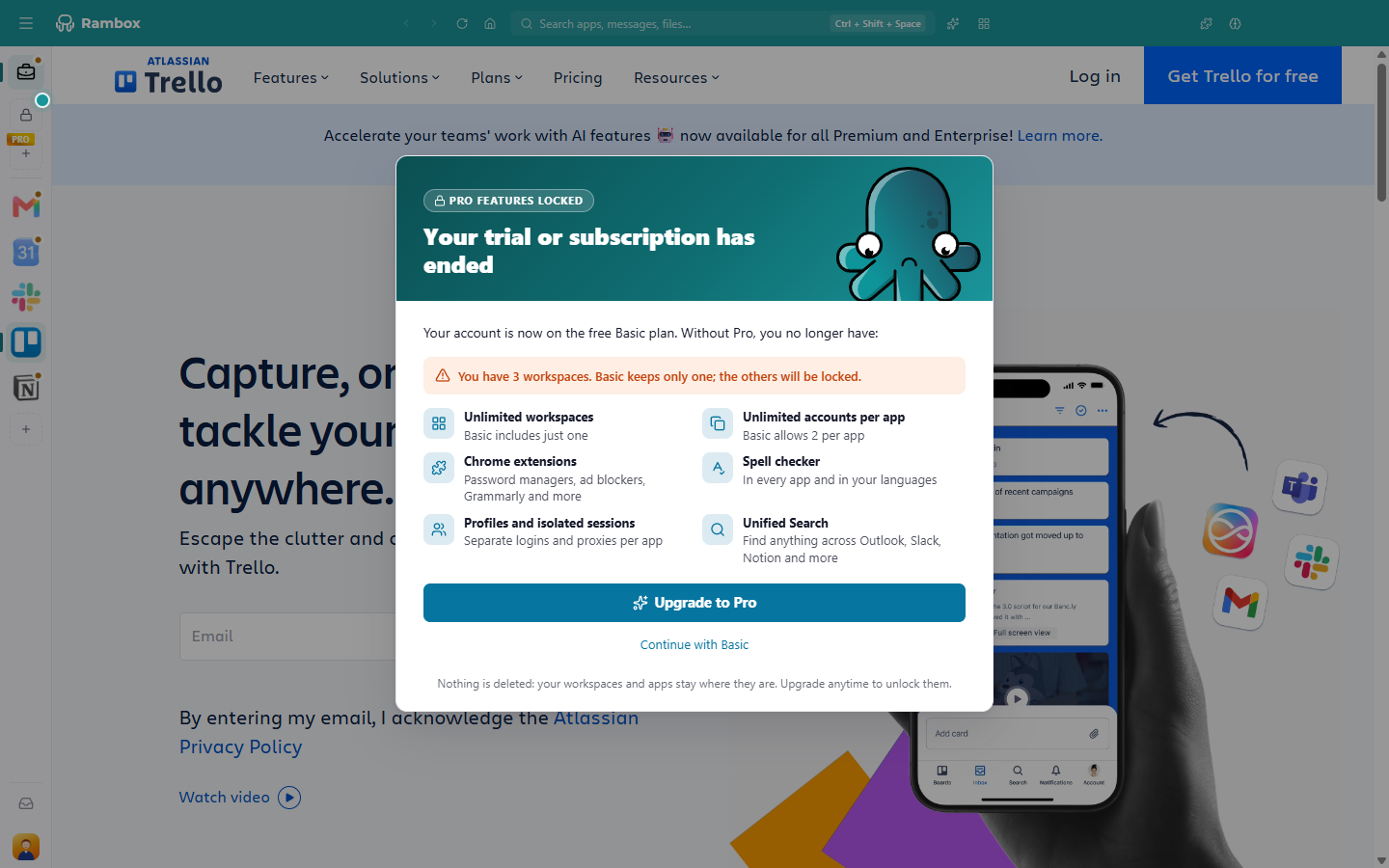
You have two options:
- Upgrade to Pro — opens the Billing page so you can subscribe and keep everything as it is. See How to become Pro.
- Continue with Basic — stay on the free plan. If you have more than one workspace, you then choose the one you keep.
This message can't be closed without choosing one of the two.
Choose the workspace you keep
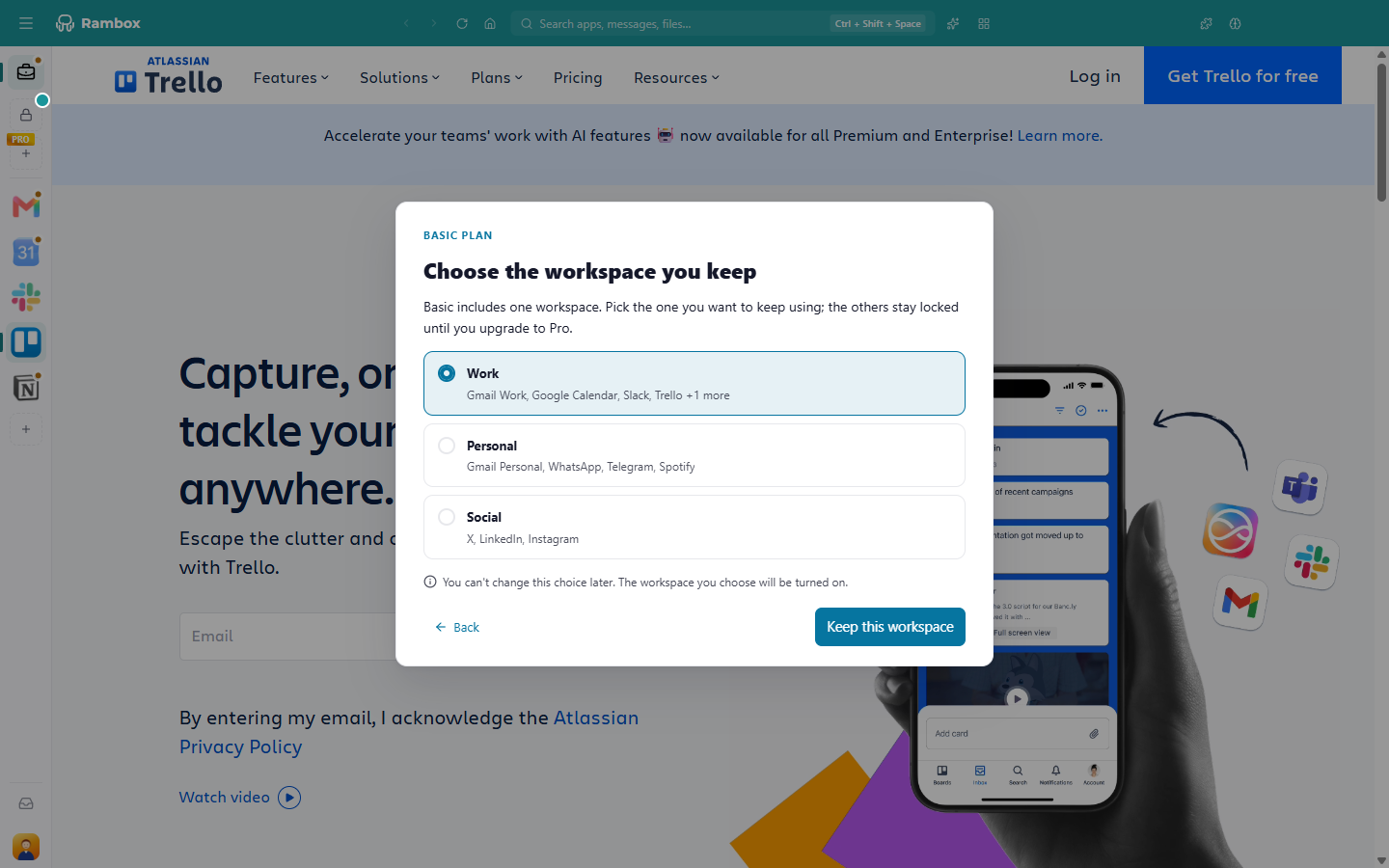
If you have more than one workspace, the next step is Choose the workspace you keep.
- Look at the list of workspaces. Under each name you see the names of its first apps (and "+{count} more" if it has more), so you can recognize it.
- Click the workspace you use the most.
- Click Keep this workspace.
The workspace you choose is turned on and becomes the one you use on Basic. Click Back if you want to read the previous step again.
This choice is final
"You can't change this choice later." Choose carefully: on Basic you can't switch to another workspace afterward. If you delete the workspace you chose, Rambox asks you to choose again.
Root Apps
If you upgraded from Rambox 2, you may see a workspace called Root Apps. Rambox created it to hold the apps you had outside any workspace. You can keep it like any other.
What your locked workspaces look like
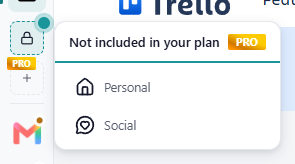
- They move to the overflow menu of the sidebar, which shows a lock icon and the title Not included in your plan.
- Their apps don't load, and they show no notification badges.
- Opening one shows This workspace needs Pro with an Upgrade to Pro button.
- Their apps' settings open in read-only mode: you can look at them, but not change them.
- You can't edit a locked workspace, but you can delete it if you no longer need it.
Other things that change on Basic
- Pro settings stop working. Things you set up while on Pro, such as extensions, the spell checker, separate profiles, a proxy per app, or injected JavaScript and CSS, are kept but no longer applied. They work again when you become Pro.
- Fewer accounts per app. Basic allows a limited number of copies of the same app.
- One computer at a time. Basic allows one active computer. See Active devices: how do they work?
- PRO tags. Pro features stay visible in the app, with a PRO tag, so you know what you can unlock.
Get everything back
Become Pro at any time. Your locked workspaces, their apps and your Pro settings come back exactly as you left them. See How to become Pro.
If you later move to Basic again, Rambox asks you once more which workspace to keep.