
Crashes and Loading Issues
Troubleshoot apps that fail to load, become unresponsive or do not work as intended.
If Rambox fails to load an app, the app is unresponsive, or it does not work as intended, you may resort to the following troubleshooting steps:
First and foremost, open the web version of the app on your web browser. To determine whether this is a problem with the app you are trying to load or with Rambox, try opening the app’s URL on your browser (Chrome, Firefox, Safari, etc.) as we replicate the behavior of the web version of the apps.
If the app doesn't work in your browser, this could be a problem with your internet connection or the website itself. We recommend checking for connectivity issues or contacting the website's support as well.
If the app works in your browser, you can try the following steps to fix the problem in Rambox:
- Remove the app and add it again
Sometimes, somehow, apps fail to get our configurations.
1- Remove the app following THESE STEPS.
2- Add the app again following THESE STEPS.
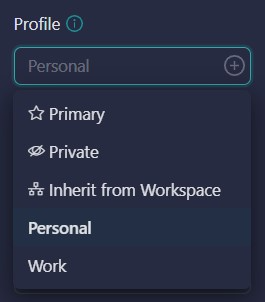
- Change the app's profile
1- Change the app's profile following THESE STEPS.
2- You can also try using a "private" profile.
3- Save the changes and reload the app.
- Free up RAM memory
You may have run out of memory and Rambox cannot load your app properly. You can:
Disable every app and workspace except the one that shows issues.
Exit other apps or programs that are running on your computer.
Disable extensions.
- Free up disk space
Your disk drive may be nearly full and Rambox cannot load your app properly:
Make sure that you have at least 2GB of free space in your hard disk. You can read more about this HERE.
Free up space from the drive where Rambox is installed.
- Restart Rambox
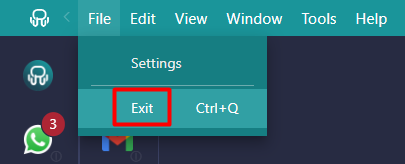
1- Quit Rambox by clicking File > Exit in our top menu, or by pressing CTRL+Q (Windows/Linux) or CMD+Q (macOS).
2- Initiate Rambox again.
3- Try loading the app where the issue appeared.
- Restart your computer
Sometimes, other programs or apps running on your computer may interfere with the proper loading of apps.
1- Restart your computer.
2- Initiate Rambox.
3- Try loading the app where the issue appeared.
If Rambox crashes, becomes unresponsive, or fails to initiate, you can also try the following steps:
- Uninstall Rambox and reinstall it
There may be a problem with your installation.
1- Uninstall Rambox following THIS TUTORIAL.
2- Install the latest version of Rambox by downloading it from HERE.
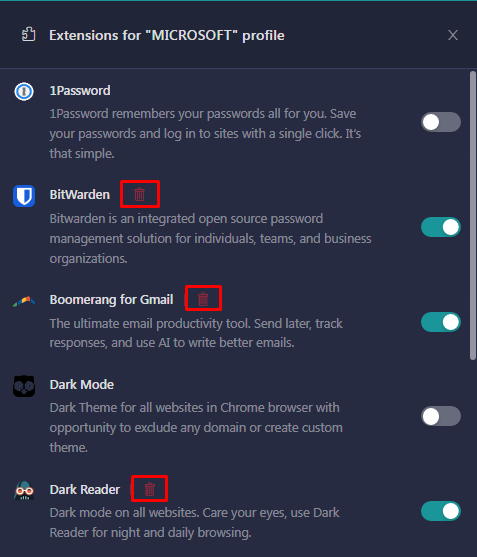
- Uninstall extensions
One of your extensions could be causing a problem.
1- Uninstall all your extensions.
2- Add them one by one to see which one is causing trouble.
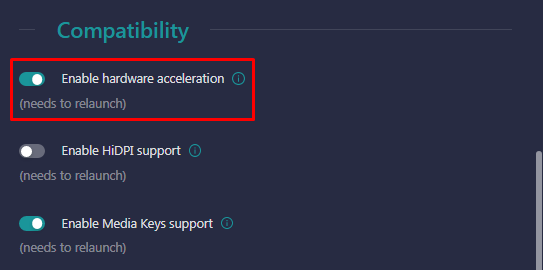
- Disable hardware acceleration
There may be a problem with how your hardware works with Rambox.
1-Click on your profile picture and access our “Settings”.
2- In the “Compatibility” settings, disable “Use Hardware acceleration”.
3-Restart Rambox.
Connectivity issues
If Rambox shows a “You are offline” banner or remains stuck on the “Checking internet connection” screen, try the following steps:
- Run the Troubleshooting Tool
1- Open the Troubleshooting Tool from the top menu, following THESE STEPS.
2- Check that the following tests return a positive result:
API connection
Authentication service
Database connection
Storage servers #1 and #2
Remote settings #1 and #2
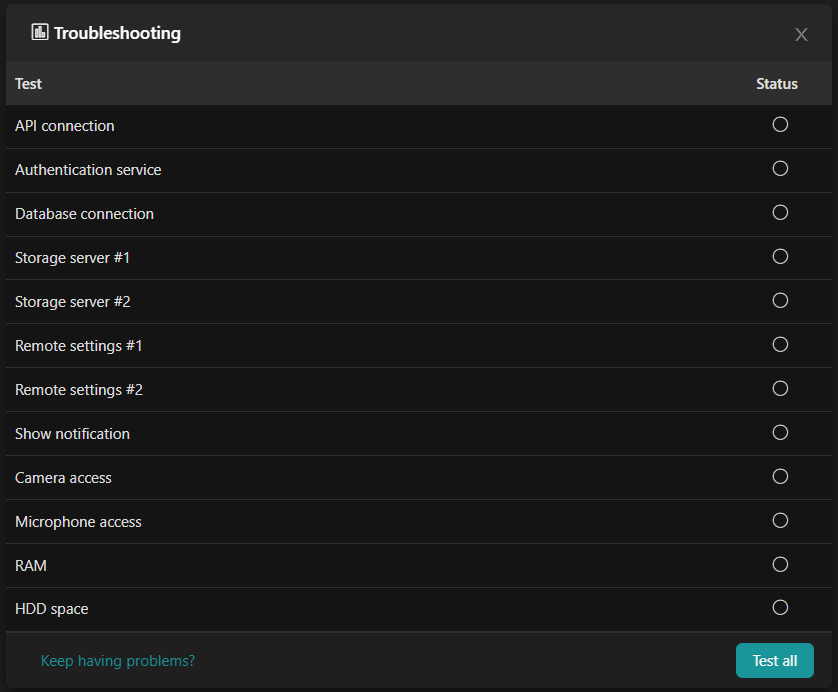
These are essential to connect to Rambox servers, log in, load your configurations, and use the app properly.
- Test Rambox URLs in your browser
1- Open each of these links directly in your web browser:
2- If these pages do not load, check if you are behind a proxy, VPN, or DNS resolver. Make sure to whitelist these URLs and try again.
3- Refer to the troubleshooting steps provided in THIS ARTICLE.
If, after following all these suggested steps, you still have issues, contact us at support@rambox.app and our team will gladly attend to your case.