
Subscribing to Rambox Enterprise
Subscribe to the Enterprise plan from the Enterprise Admin.
To utilize our Enterprise features without interruptions, you have to subscribe to our Enterprise plan within the Enterprise Admin. Access https://admin.rambox.app, log in to your Enterprise account and follow these steps:
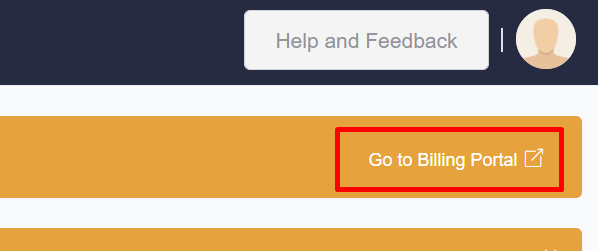
1-Select "Go to Billing Portal" at the top-right.
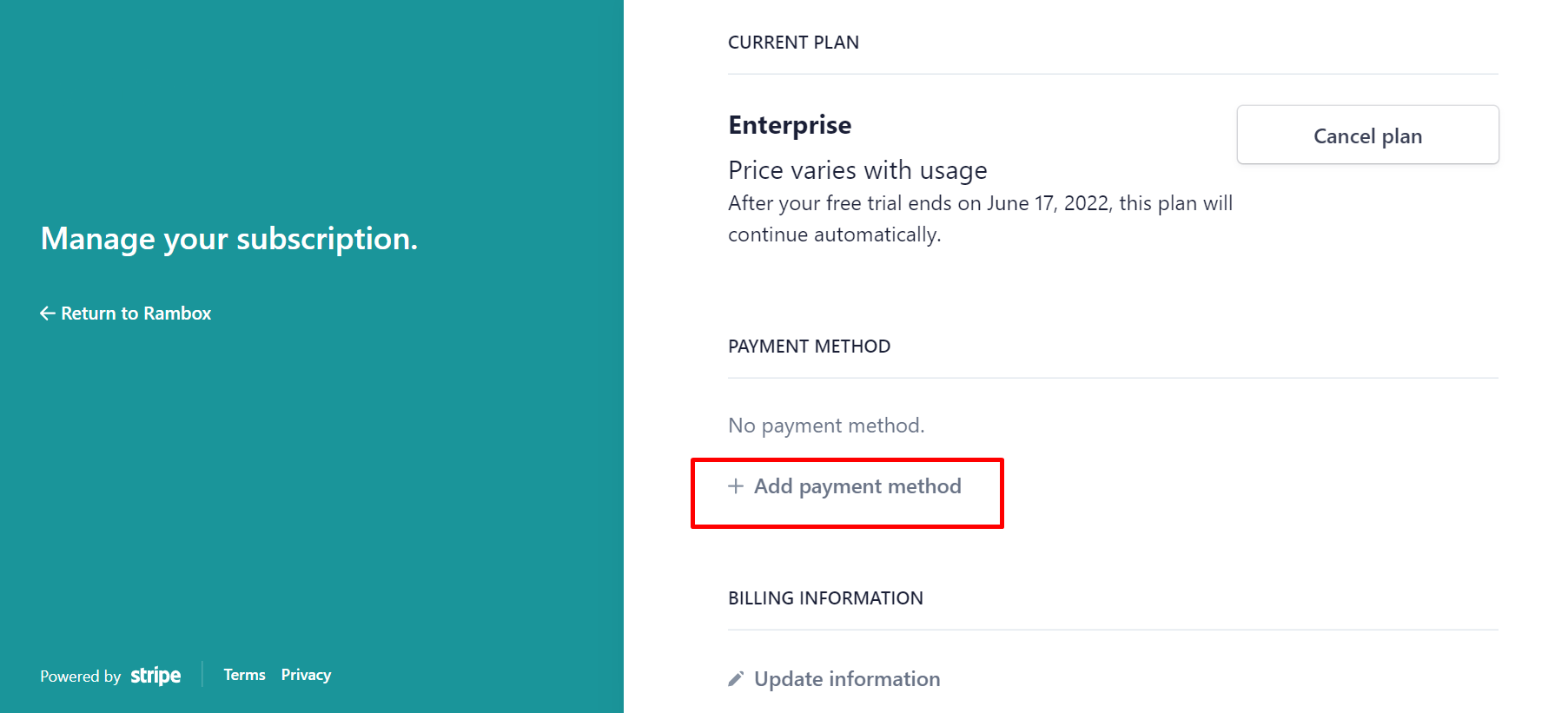
2-Select "Add payment method".
3-Fill in the fields with a credit or debit card of your choice.
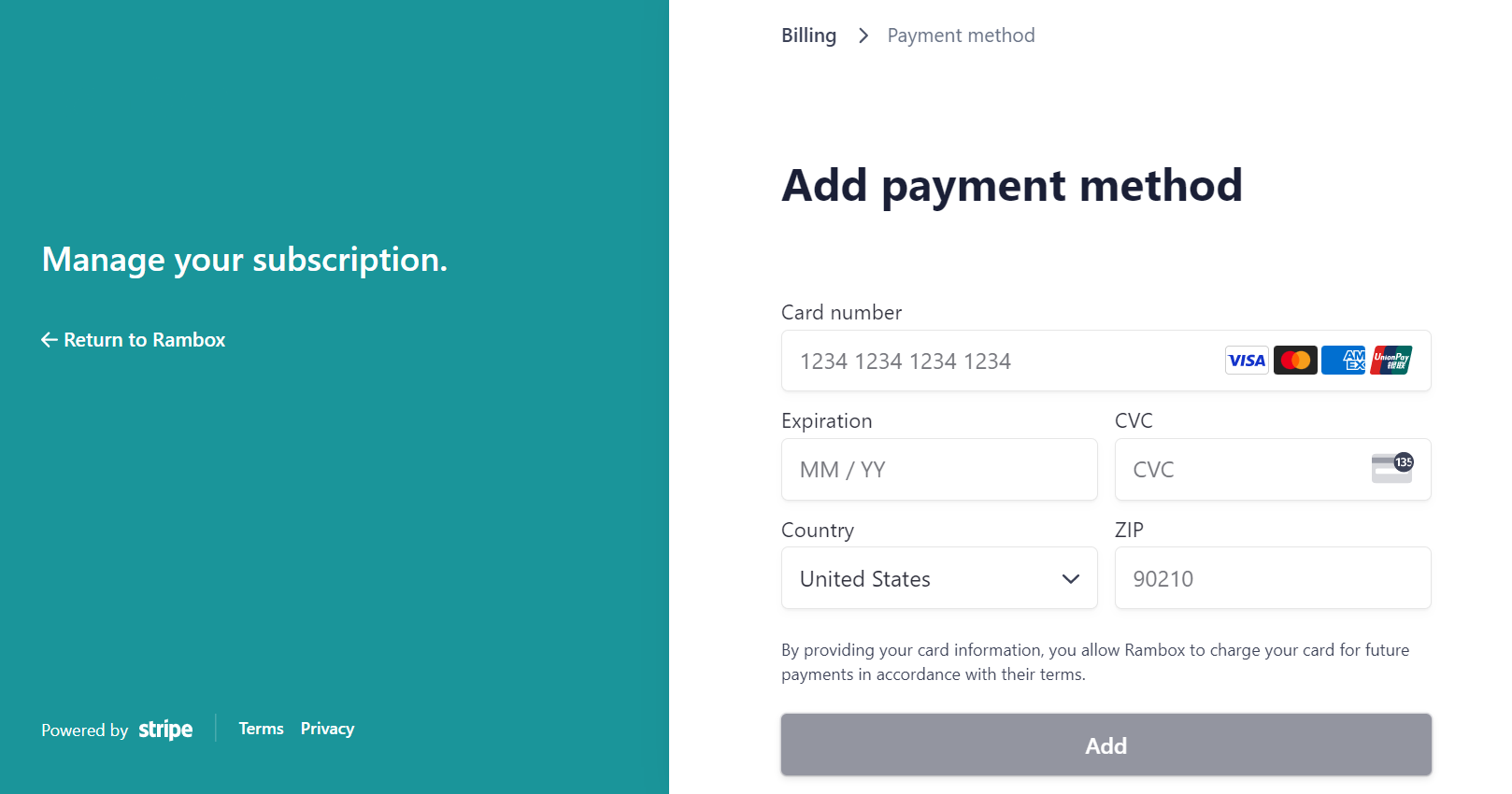
4-Click "Add" and that's it! You are subscribed to Rambox Enterprise!