
About Rambox (Version & updates)
Check the installed version, the update channel and the release notes from the About Rambox window.
This section is located at the top Menu. Click on "Help" and then "About Rambox".
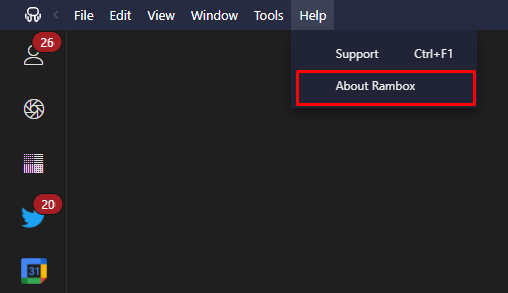
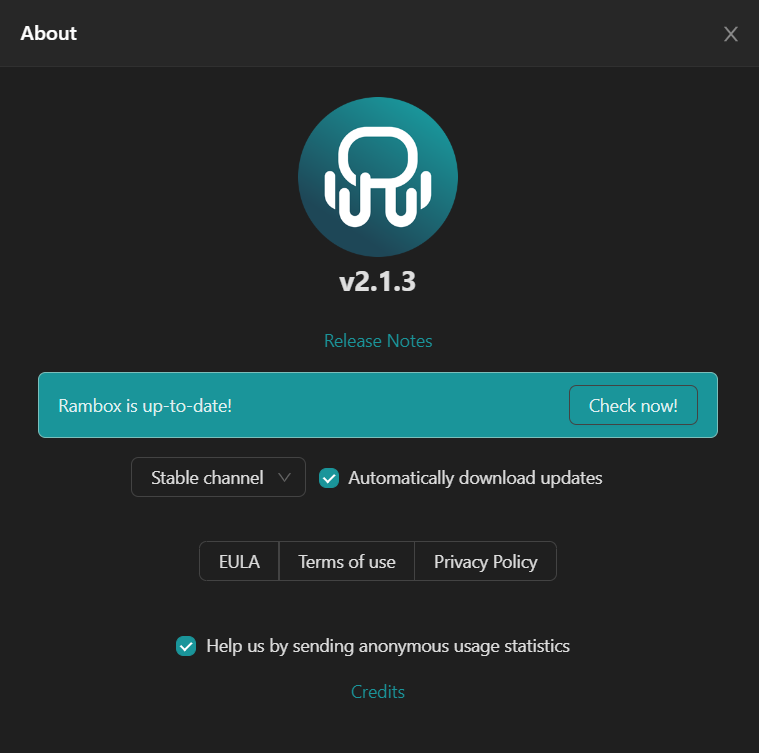
Now you'll see the "About" view at the center, with different information and options.
Version
Below the Rambox logo, you'll see the version installed in your device (i.e.: v2.1.3).
Release Notes
Here you can see every change made for your current version (new features, fixes, etc.) so you can be up-to-date.
Check for new version
Clicking the "Check now!" button, Rambox will look for new updates. If there's any, it'll be downloaded and Rambox will ask you to reload to initiate the installation.
Automatically download updates
This option will download new updates automatically and ask you to reload Rambox when its ready to install.
EULA, Terms of Use & Privacy Policy
See our policies and terms of use here.
Help us by sending anonymous usage statistics
Set this option if you want to help us improve Rambox with statistics and metrics. Information will be anonymous, we promise.