
How to move Apps to a Workspace?
Move an app you already created into one of your workspaces.
In Rambox, you can move your apps to already created workspaces. To do so, please follow these steps:
1- Right-click on the app you want to move.
2- Click on the "Move App" button:
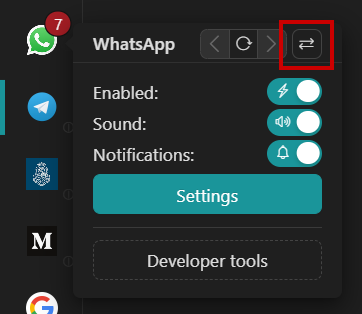
3- There, you will see your Workspaces' structure, showing you all your workspaces to select one:
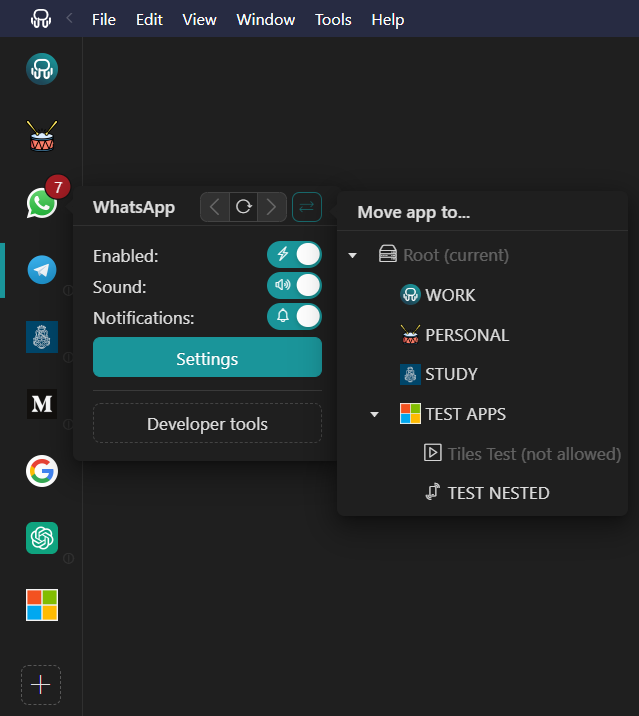
4- Click on your desired Workspace, and a confirmation dialog will be displayed:
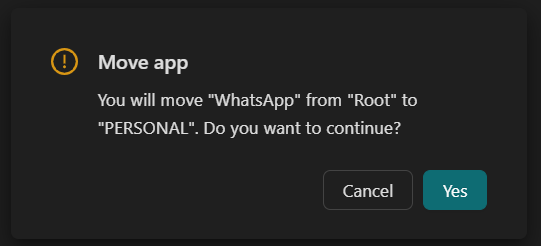
5- Click on "Yes" and that's it! Your app has been successfully moved to a new workspace! All your app settings, login information and profile preferences will be kept, so you do not need to re-configure anything.
Bear in mind that, for the moment being, it is not possible to move apps to workspaces that have a "Tiles" layout.