
Why don't I see the badges in the Taskbar Icon?
Troubleshoot the notification badges missing from your taskbar icon.
If our badges are not displayed in your Taskbar Icon, please follow these troubleshooting steps:
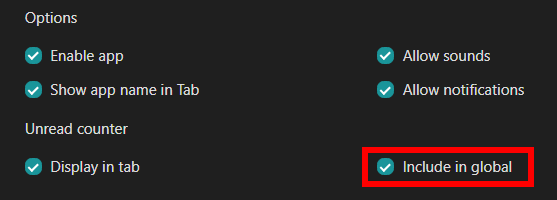
- In your Apps' Settings, make sure that you have the following option enabled:
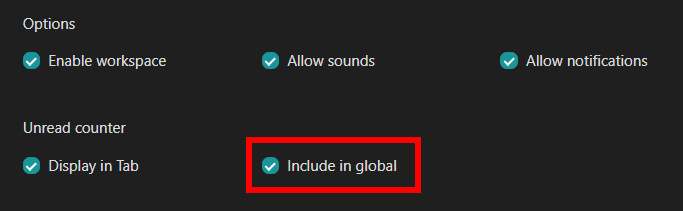
- Similarly, if your apps are nested within a workspace, make sure that the "Include in global" option is enabled in the Workspaces' Settings:
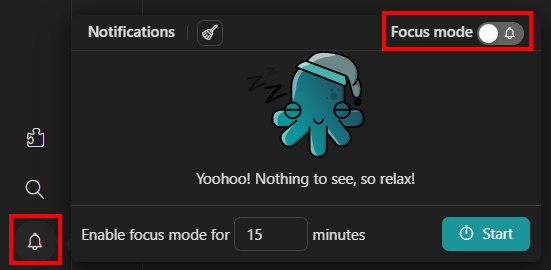
- Make sure that the "Focus mode" feature is disabled. You can check so by clicking on the "Notifications Center" icon in the main tab:
If, after following such steps, the badges are still not displayed in your Taskbar Icon, please follow these steps grouped by Operating Systems:
macOS
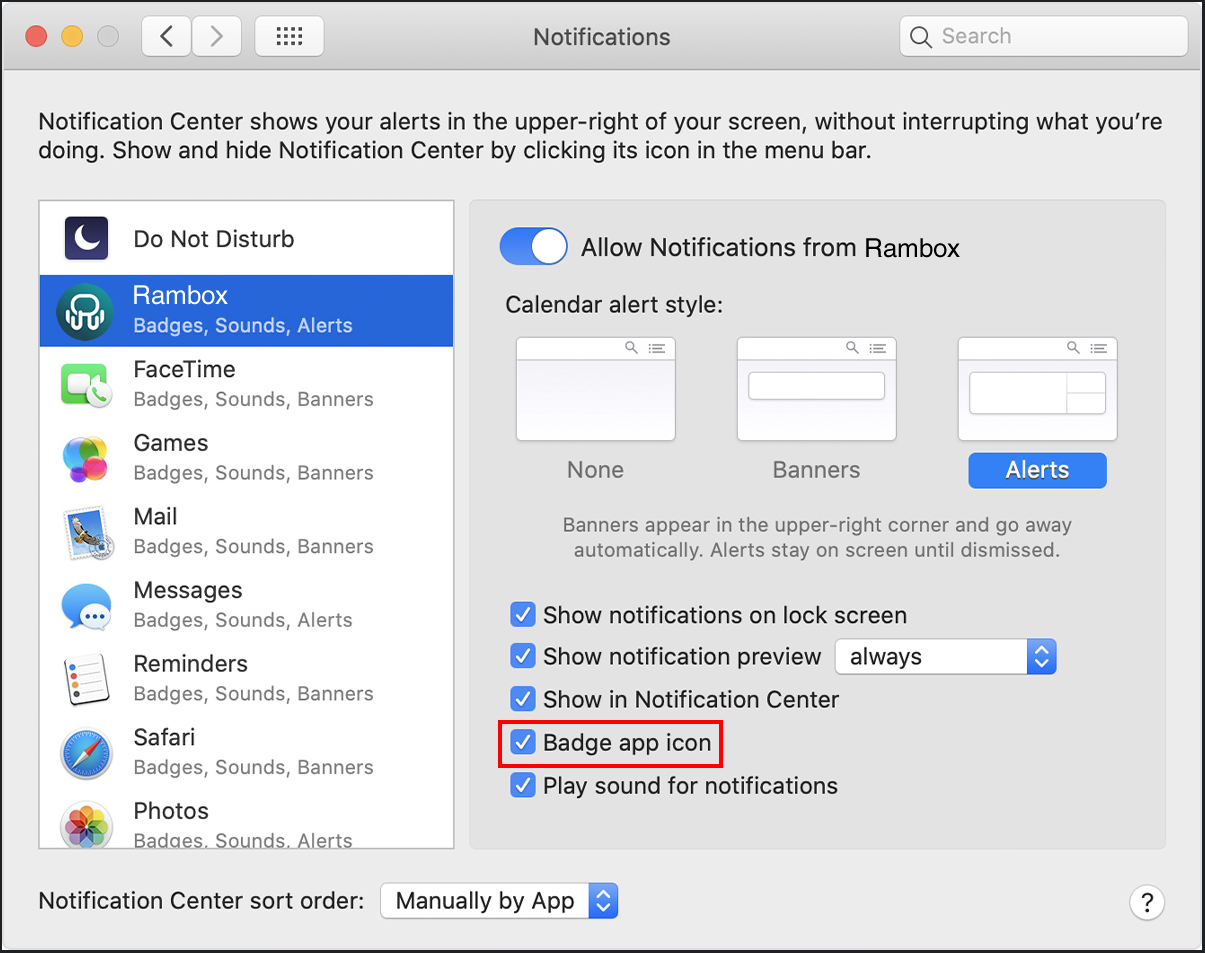
Access your "Notification Settings". To do so, in your Mac, go to the Apple menu, then System Preferences, and then click on "Notifications".
Once there, look for "Rambox" in the list, and check the "Badge app icon" option.
Windows 10
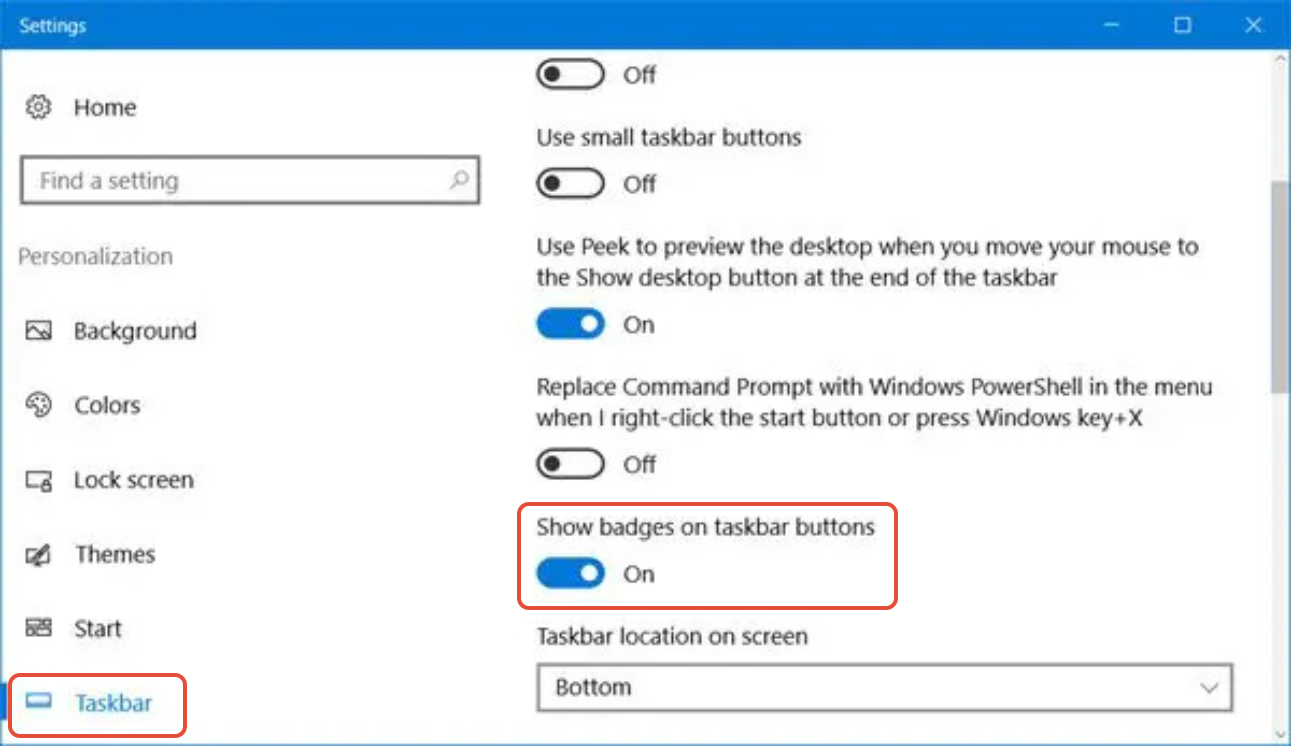
Access Windows' Settings > Taskbar and enable "Show badges on taskbar buttons":
You can find more information in this LINK.
Windows 11
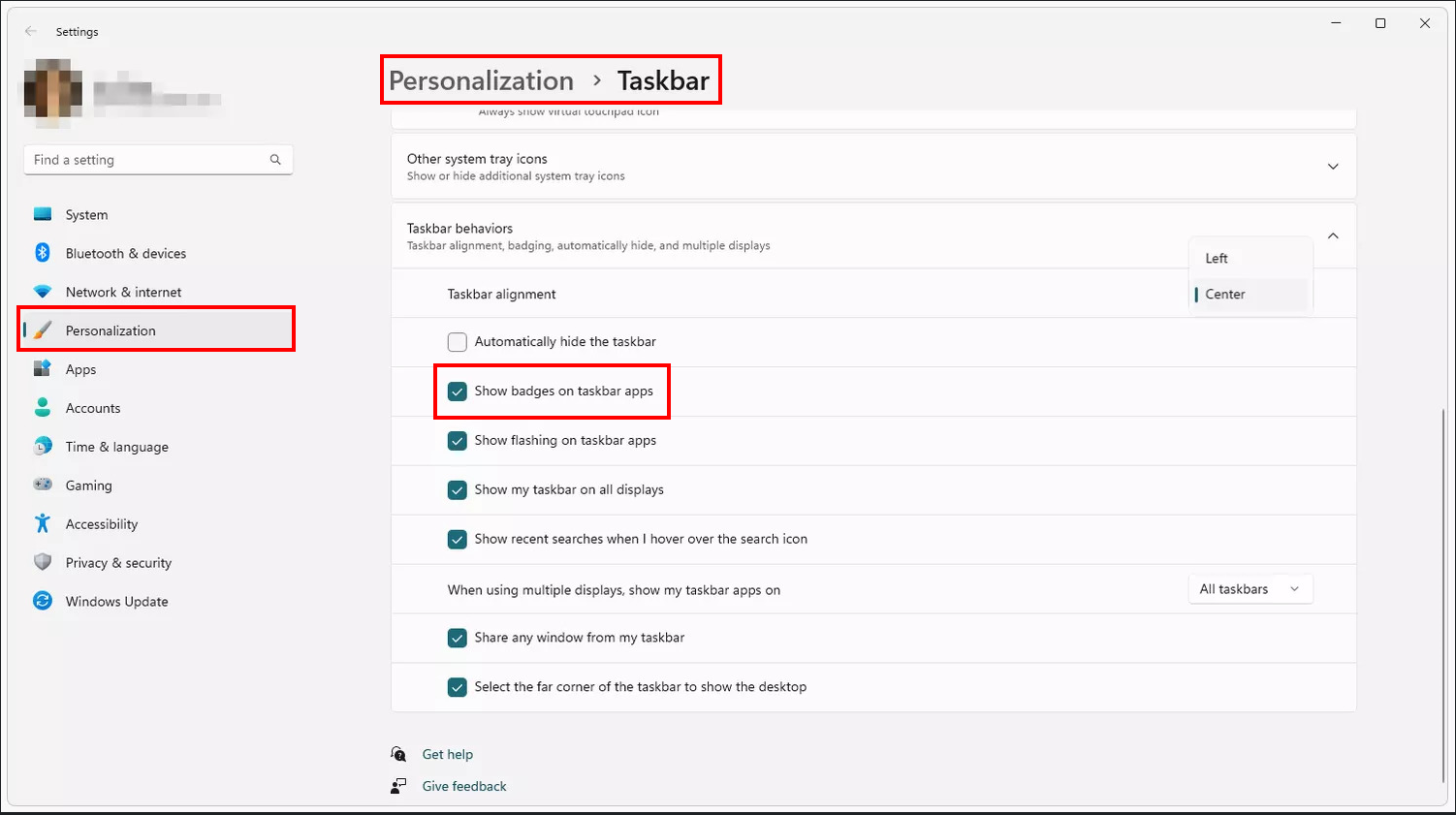
Access Windows' Settings > Personalization > Taskbar and enable "Show badges on taskbar apps":
You can find more information in this LINK.