
License expired?
What happens when a Pro payment fails or your trial or subscription ends, and how to keep or get back your Pro features.
This article helps if Rambox tells you a payment failed, that your subscription has expired, or that your trial has ended.
"Payment failed: We were unable to renew your license"
When we can't charge your subscription renewal, a red banner appears in Rambox:
Payment failed: We were unable to renew your license — Don't worry. We'll try your payment again over the next few days. To keep the Pro features you may need to update your payment details, otherwise your experience will be affected.
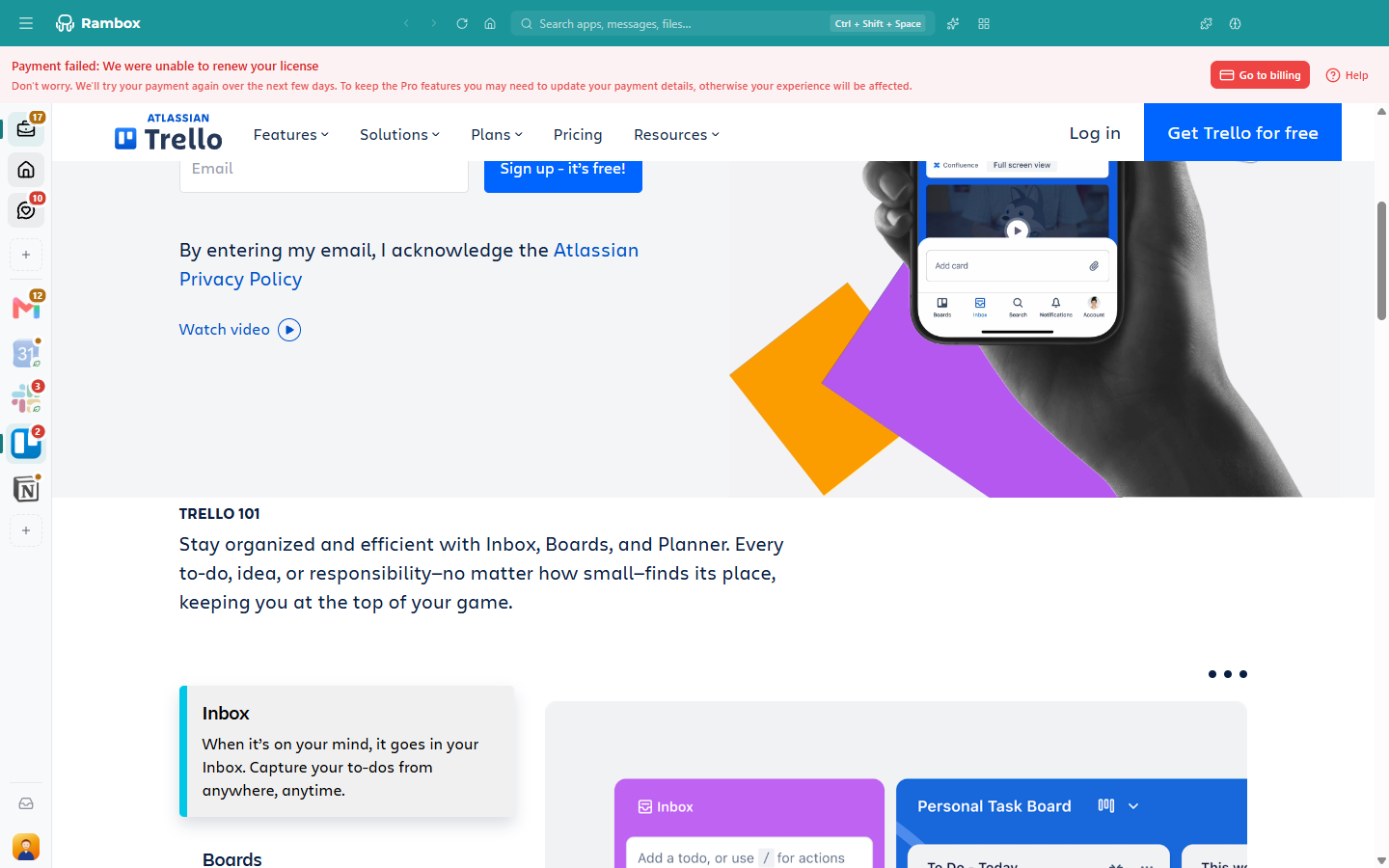
You keep your Pro features while we retry the payment. To fix it:
- Click Go to billing in the banner. Your Billing page opens in your web browser, already signed in.
- Under Payment methods, click Add and enter a card that works, or make an existing working card the default (star icon).
- Check that your card hasn't expired, has enough funds and allows online or international payments. Your bank may need to approve the charge.
We'll charge the new default card on the next retry. More help: Problems with payment?
"Your trial or subscription has ended"
If all payment retries fail, or you cancel, or your free trial ends, your account moves to the free Basic plan. Rambox shows a dialog that lists the Pro features you no longer have.
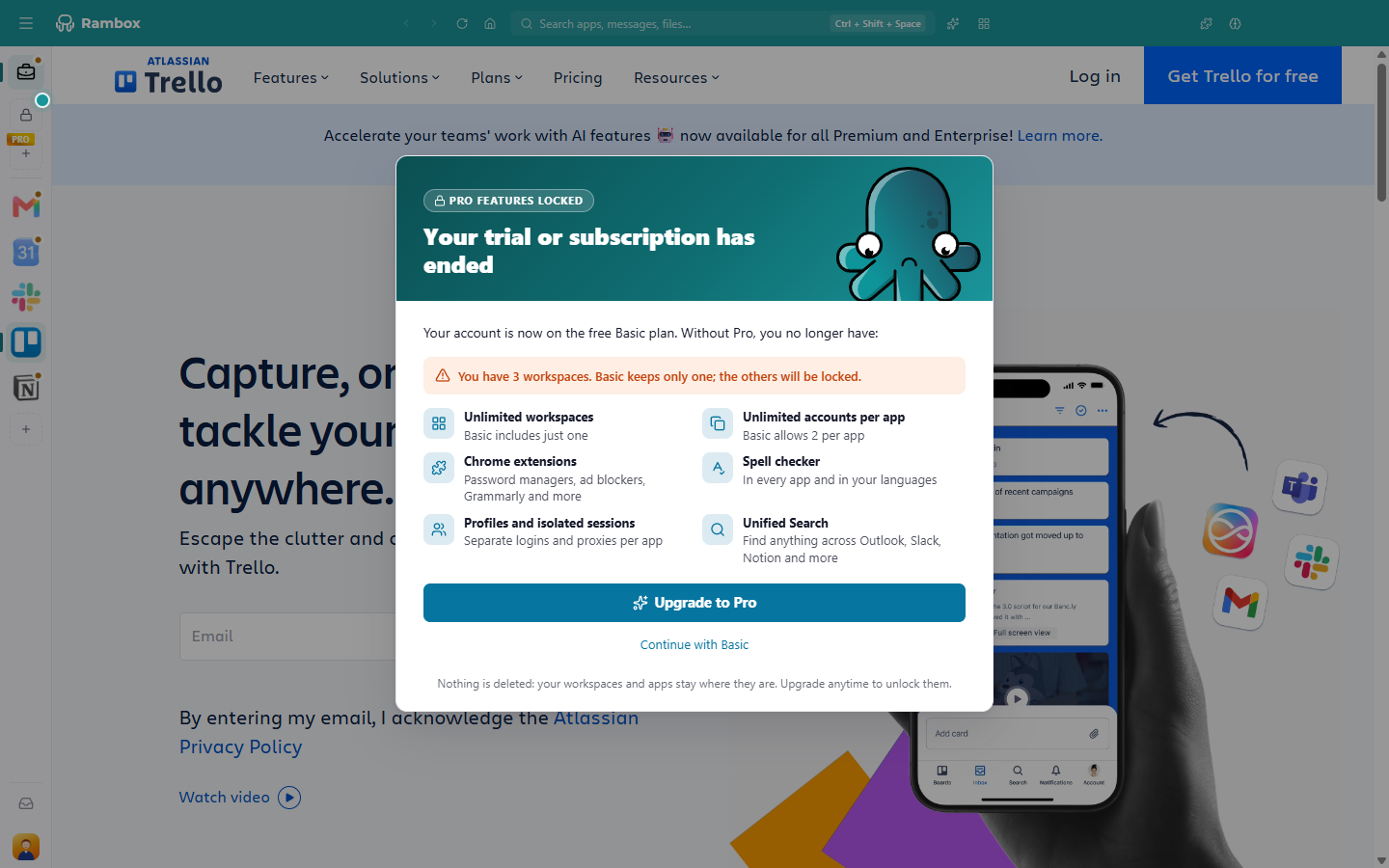
You can:
- Click Upgrade to Pro to subscribe again. The Billing page opens in your browser.
- Click Continue with Basic. If you have more than one workspace, you're asked to choose the one you keep (Choose the workspace you keep). This choice is final.
Nothing is deleted. Your other workspaces and apps stay where they are, locked, and come back as soon as you become Pro again. See Where do all my apps and workspaces go after changing to Basic?
INFO
If you see Your subscription has expired instead, your account hasn't moved to Basic yet: upgrading now keeps everything exactly as it is.
Still seeing "expired" after paying again?
Your payment and your license can take a short while to sync.
- Wait a few minutes.
- In Rambox, sign out and sign in again: click your avatar at the bottom of the sidebar, choose Sign out, then sign in from your browser.
- Check your plan on the Billing page: click your avatar and choose Billing (or Change plan).
If it still shows the wrong plan after a few hours, contact us with the email of your Rambox account.
Lifetime licenses
A Lifetime license never expires. If Rambox says your Lifetime license has expired, please contact support.
Enterprise accounts
If you're signed out with Enterprise: License Expired — You were kicked out because your license is expired. Please, contact your admin., your organization's subscription has ended. Ask your Rambox administrator to renew it.
Related articles
Still not working? Request support