
Clear cache and local storage
What Clear Cache, Clear Local Storage, Clear apps history and the profile maintenance options remove, and when to use each one.
Rambox has several "clear" options. Some are harmless and only free up temporary files; others sign you out of every app. Read what each one does before you use it.
Quick comparison
| Option | Where | What it removes | Signs you out of apps? | Restarts Rambox? |
|---|---|---|---|---|
| Reload an app | F5, Ctrl+R (macOS: ⌘+R) | Nothing | No | No |
| Clear Cache | Tools menu | Rambox's own temporary files | No | Yes |
| Clear apps history | Tools menu | The list of recent items Rambox remembers | No | No |
| Profile Clear Cache | Profiles → Maintenance | Temporary files of the apps in that profile | No | No |
| Profile Clear Auth | Profiles → Maintenance | Saved proxy and website passwords (HTTP authentication) for that profile | Only from sites that use that kind of login | No |
| Profile Clear LocalStorage | Profiles → Maintenance | Cookies and saved data of the apps in that profile | Yes, those apps | No |
| Clear Local Storage | Tools menu | Cookies and saved data of every app | Yes, all of them | Yes, without asking |
Try first: reload the app
Most display glitches go away by reloading the app you're looking at:
- Press F5 or Ctrl+R (macOS: ⌘+R).
- Or click the reload button in the title bar.
- Or right-click inside the app and choose Reload.
Open the Tools menu
- Windows: click the Menu button (☰) at the top-left of the Rambox window, then Tools.
- macOS: click Tools in the menu bar at the top of the screen.
- Linux: click Tools in the window's menu bar. If you don't see the menu bar, press Alt.
Clear Cache
Clears the temporary files of Rambox's own window (not your apps' data), then restarts Rambox. You stay signed in to Rambox and to your apps.
Use it when Rambox's own interface looks broken or out of date, for example after an update.
Clear apps history
Clears the history of recently used items that Rambox keeps. It doesn't touch your apps, logins or settings, and it doesn't restart Rambox.
Clear Local Storage
This signs you out of every app
Clear Local Storage deletes the cookies, saved logins and offline data of every app in every workspace and every profile. Rambox restarts as soon as you click it, without asking for confirmation. Afterwards you'll have to sign in again to each of your apps (and set up two-factor authentication prompts again where the app asks for it).
Your apps, workspaces and settings are not deleted: they're saved in your Rambox account.
Use it only as a last resort, when apps keep failing to load or behave strangely and nothing else has worked. Before you do:
- Make sure you know the passwords of the apps you use (or have them in a password manager).
- Keep your phone at hand for any two-factor authentication codes.
- Then open Tools → Clear Local Storage.
Clear the data of just one profile
If only some apps are affected, you can clear the data of a single profile instead of everything.
Pro feature
Profiles are available on the Pro plan and during the free trial. On Basic every app already has its own session. How to become Pro
- Right-click an app that uses the profile in the sidebar and click the cog (Settings).
- Next to the Profile field, click + to open the Profiles panel.
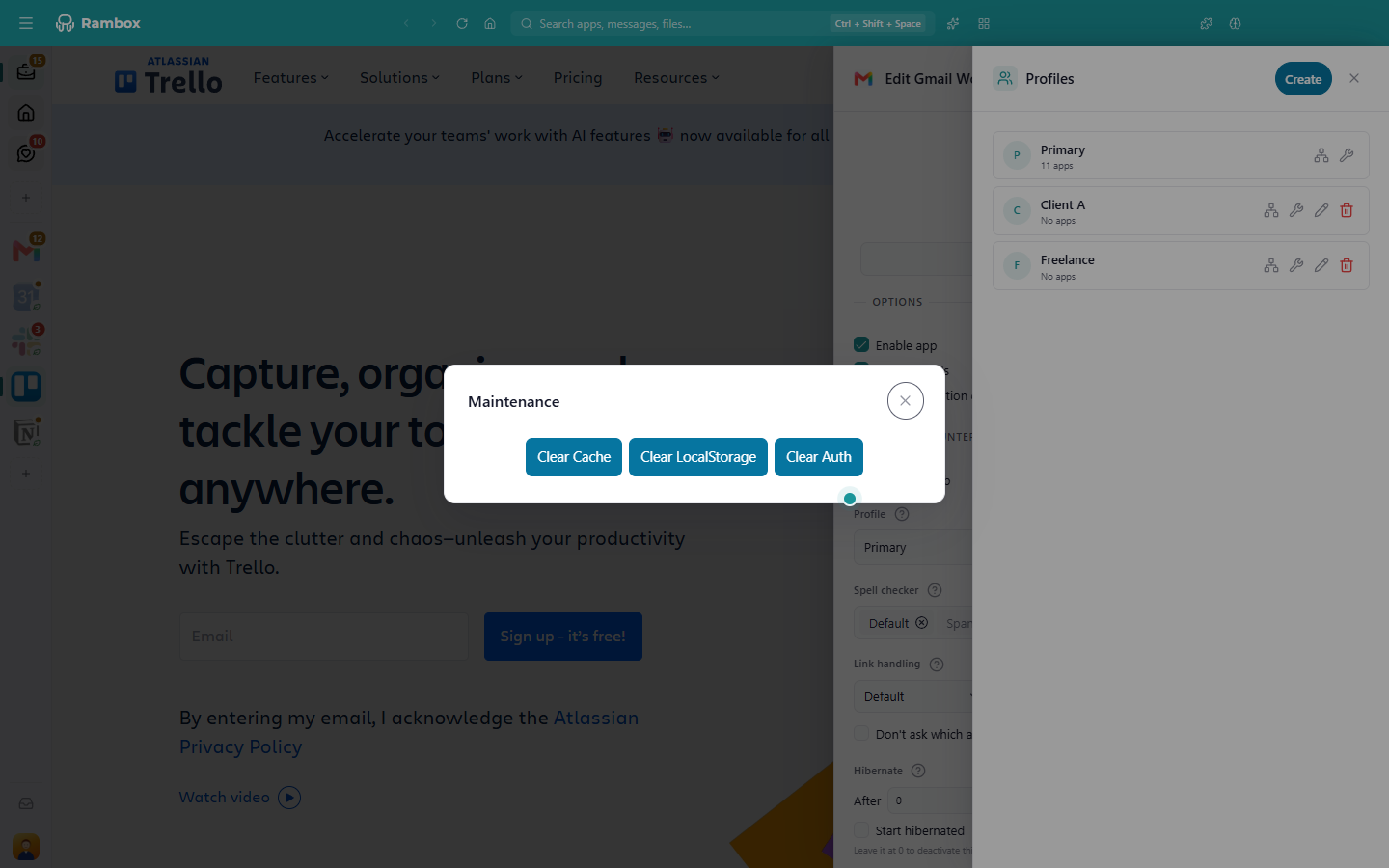
- On the profile's card, click the wrench (Maintenance).
- Choose:
- Clear Cache: removes temporary files. You stay signed in. Message: Profile's cache successfully cleared.
- Clear Auth: forgets saved proxy credentials and passwords for sites that ask for them in a browser pop-up. Normal app logins are kept. Message: Profile's auth cache successfully cleared.
- Clear LocalStorage: removes cookies and saved data. You're signed out of every app that uses this profile. Message: Profile's storage data successfully cleared.
- Reload the affected apps.
More about profiles: Profiles.
Related articles
Still not working? Request support