
Article updated for v2.7.1.
Once we have added our apps, sometimes we need to change their settings to meet our needs. To achieve this, we need to go to the app, right-click on it and then click on "Settings" (the gear icon):
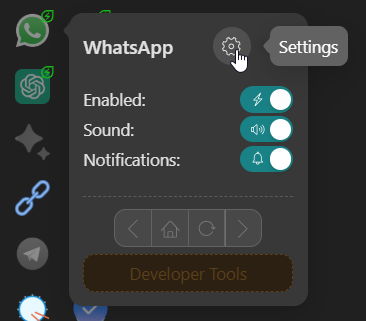
Here, you will find the different app's configuration options that Rambox offers.

If you want to know more about these settings, you can follow this link: How to create and configure apps?